Chapter 10 Photoresistor & LED
In this chapter, we will learn how to use a photoresistor.
Project 10.1 NightLamp
A photoresistor is very sensitive to the amount of light present. We can take advantage of the characteristic to make a nightlight with the following function: when the ambient light is less (darker environment) the LED will automatically become brighter to compensate and when the ambient light is greater (brighter environment) the LED will automatically dim to compensate.
Component List
ESP32-S3-WROOM x1
GPIO Extension Board x1
830 Tie-Points Breadboard x1
Resistor 10kΩ x1
Resistor 220Ω x1
Photoresistor x1
LED x1
Jumper Wire x4
Component knowledge
Photoresistor
Connect
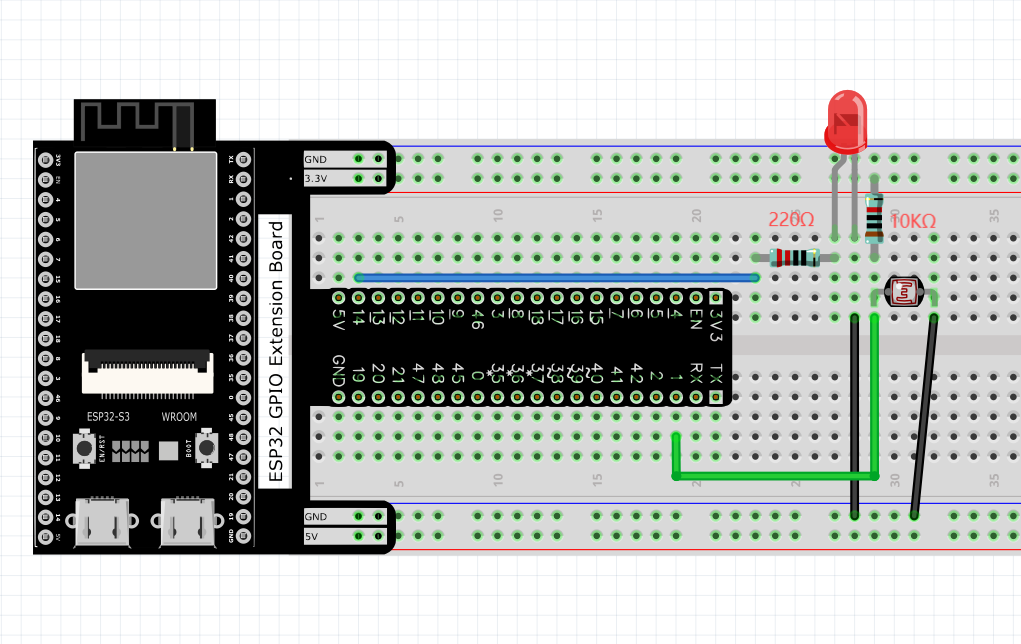
The circuit of this project is similar to project Soft Light. The only difference is that the input signal is changed from a potentiometer to a combination of a photoresistor and a resistor.
Code
Move the program folder “Basic_Starter_Kit_for_ESP32_S3/Python/Python_C odes” to disk(D) in advance with the path of “D:/Micropython_Codes”. Codes of this project is logically the same as the project Soft Light.
10.1_Nightlamp
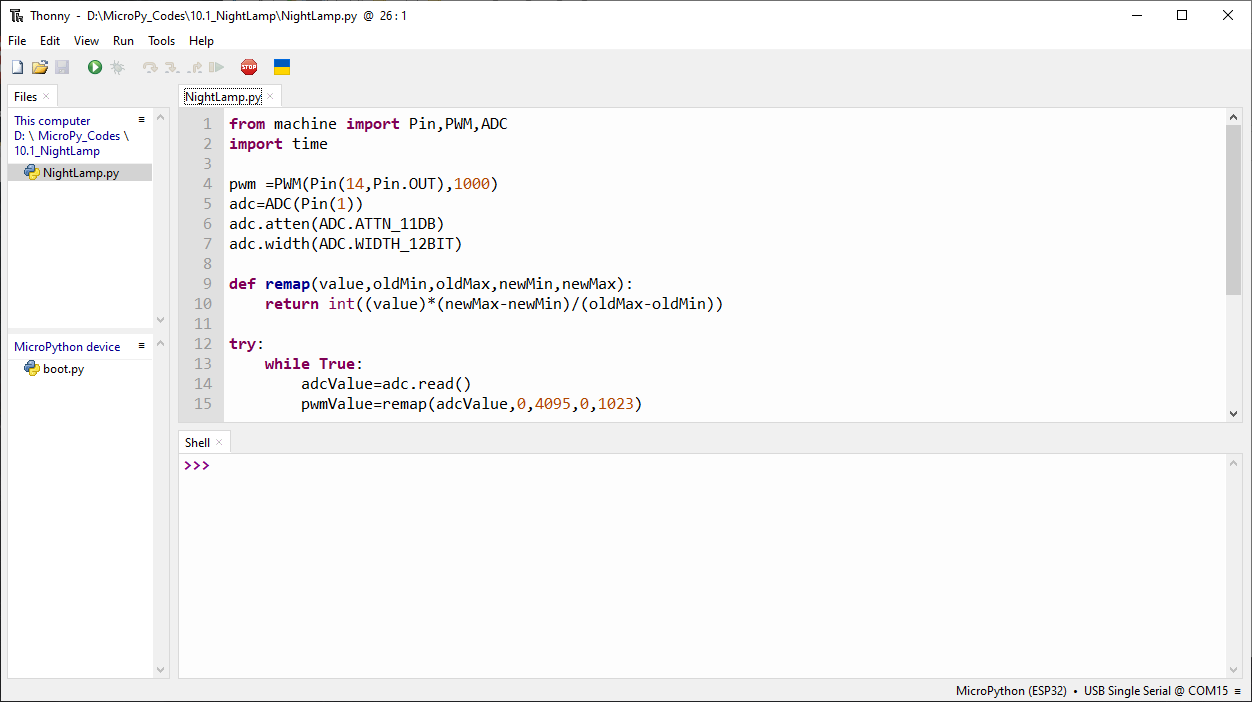
Click “Run current script”. Cover the photoresistor with your hands or illuminate it with lights, the brightness of LEDs will change.
The following is the program code:
from machine import Pin,PWM,ADC
import time

pwm =PWM(Pin(14,Pin.OUT),1000)
adc=ADC(Pin(1))
adc.atten(ADC.ATTN_11DB)
adc.width(ADC.WIDTH_12BIT)

def remap(value,oldMin,oldMax,newMin,newMax):
    return int((value)*(newMax-newMin)/(oldMax-oldMin))

try:
    while True:
        adcValue=adc.read()
        pwmValue=remap(adcValue,0,4095,0,1023)
        pwm.duty(pwmValue)
        print(adcValue,pwmValue)
        time.sleep_ms(100)
except:
    pwm.deinit()
In this code, we use ADC to read the ADC value of the photoresist and map it to the PWM of the control LED, so that the brightness of the LED can change accordi ngly with the change of the ambient light intensity.